
Apple Rushes Out a Mac Fix for a Screen Sharing Flaw — Install It This Weekend
Apple does not normally ship a macOS update a week after the previous one. macOS Tahoe 26.6.1 is not a normal update, and the reason is a feature most Mac owners forget they have.
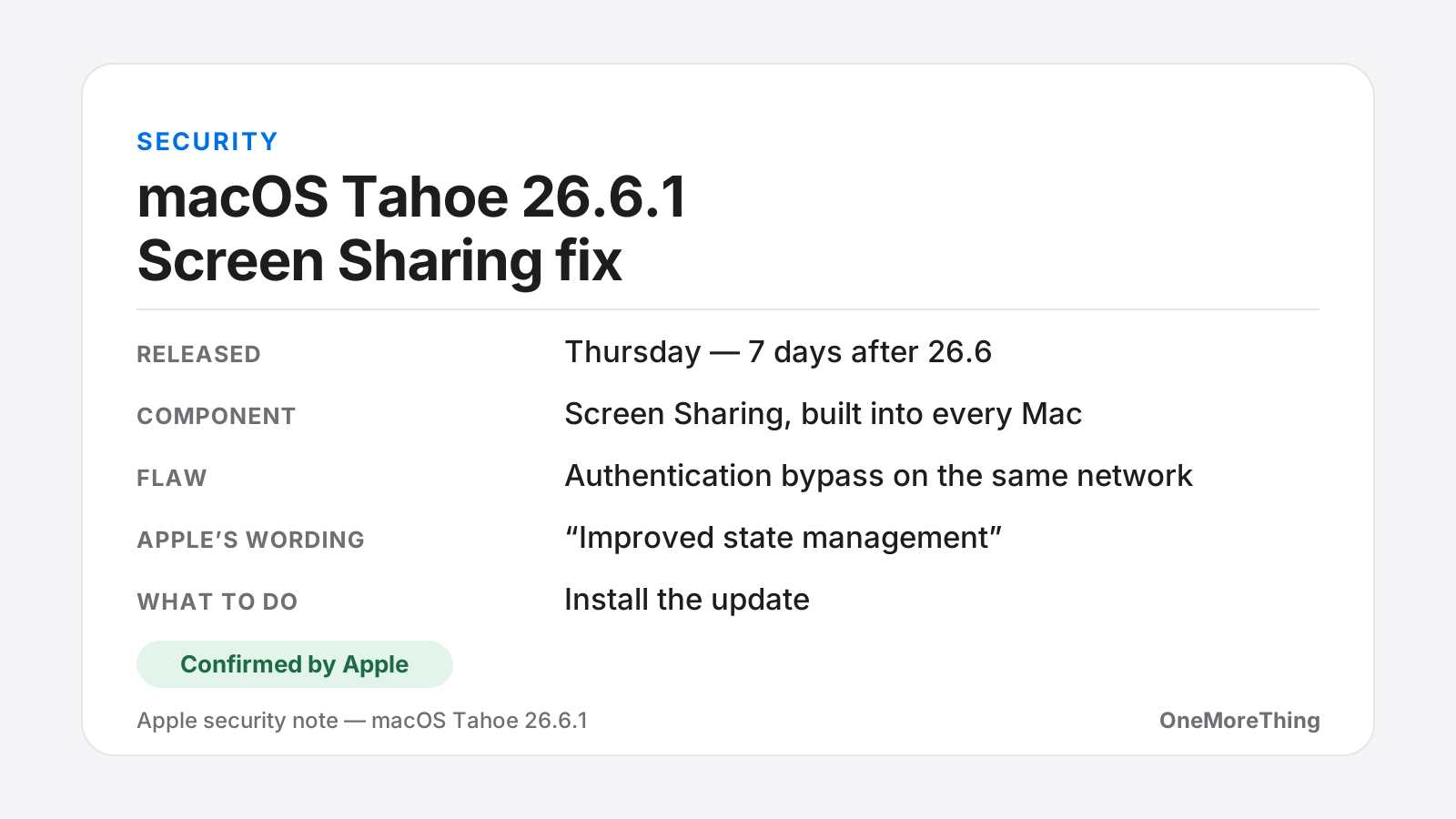
Apple released macOS Tahoe 26.6.1 on Thursday, seven days after macOS Tahoe 26.6. The cadence alone is the story. Point-one releases usually arrive several weeks apart, bundled with accumulated fixes, and Apple does not break its own rhythm for cosmetic corrections.
What the flaw actually allowed
The vulnerability sits in Screen Sharing, the feature built into every Mac that lets one machine view and control another on the same network. It is the thing you use to fix a relative's Mac from the next room, or to reach the machine in the office while sitting in a meeting.
Screen Sharing is supposed to demand a username and password before it hands over the keyboard and the mouse. According to Apple's security note, an attacker already on the same Wi-Fi network could authenticate without valid credentials. Apple says the authentication issue has been addressed with "improved state management" — the company's standard formula, which describes the shape of the fix rather than the shape of the failure.
In plain terms: a machine on your network could be persuaded to accept a connection it should have refused, and the person at the other end would then be looking at your screen and typing on your keyboard.
The feature you may not know is switched on
Screen Sharing is not something most people set up deliberately. It ships with every copy of macOS, sits dormant in System Settings, and gets switched on by a support technician, a remote-management profile, a collaboration app, or a past version of yourself trying to fix a printer. Years later it is still enabled and nobody remembers doing it.
That is what turns a bounded flaw into a practical one. A vulnerability in a feature that two per cent of users have deliberately configured is a narrow problem. A vulnerability in a feature present on every Mac and quietly active on an unknown proportion of them is a different proposition — and it is the best explanation for why Apple moved as fast as it did.
The scope matters in both directions
This is not a vulnerability someone can exploit from the other side of the internet. The attacker has to be on your network already, which rules out the mass-scanning scenario that makes remote flaws so dangerous.
But "your network" covers considerably more ground than most people picture. It means the office Wi-Fi shared with several hundred colleagues and their guests. It means the coworking space, the hotel, the conference venue, the café where you left the laptop open while ordering. On any network you do not personally control, the assumption that Screen Sharing would refuse an unauthenticated request was — until Thursday — simply wrong.
That is also why the flaw matters more for laptops than for desktops. A Mac mini in a home office rarely leaves a trusted network. A MacBook joins half a dozen untrusted ones in a week.
Three systems, not one
Apple shipped the same fix for the two older versions of macOS it still maintains: macOS Sonoma 14.8.9 and macOS Sequoia 15.7.9. That detail is a useful signal in itself.
Apple's security-update policy generally covers the current version of macOS plus the two before it, but the older releases usually receive fixes in batches rather than individually. Backporting a single correction to both of them, out of cycle, on the same day, is the behaviour of a company that does not want this particular hole left open anywhere.
Apple's security document does not say whether anyone exploited the flaw before the patch. It rarely does — the company has a long-standing practice of noting active exploitation only when it is confident of it, which means the absence of that language is not evidence either way.
Why "improved state management" is the interesting phrase
Apple's security notes are written in a deliberately narrow vocabulary, and each phrase carries meaning for people who read a lot of them.
"Improved state management" points at a class of bug where a system loses track of where it is in a sequence — in this case, an authentication sequence. Rather than a password being guessed or intercepted, the software could be brought into a state where it believed the credential step had already been satisfied. That is a design-level failure rather than a cryptographic one, and it is the kind of thing that tends to be found by researchers systematically probing a protocol rather than by opportunistic attackers.
None of which changes what you should do about it, but it does explain why Apple moved quickly. Authentication-bypass bugs do not degrade gracefully: either the door is locked or it is not.
Installing it takes two minutes
Open System Settings, go to General, then Software Update, and install what appears. On Tahoe you want to land on 26.6.1; on Sequoia, 15.7.9; on Sonoma, 14.8.9. The update is small and does not require the long rebuild that major releases involve.
If you administer Macs for other people — a family, a small studio, a school — this is worth pushing rather than waiting for. Screen Sharing is enabled more often than users remember enabling it, frequently by a support tool or a remote-management profile installed years earlier. You can check the current state in System Settings under General, then Sharing, where Screen Sharing appears as a toggle. If nothing on your network needs it, turning it off costs nothing and closes the surface entirely.
One more update may be on the way
Separately, MacRumors reported on Friday that it had seen signs of iOS 26.6.1 in internal testing, based on the operating-system versions appearing in its own visitor logs. That is an observation rather than an announcement, and Apple has said nothing.
It is nonetheless the kind of observation that has proved reliable before, and the timing would be consistent: when Apple patches something quickly on the Mac, the iPhone equivalent, if one exists, tends to follow within days. Screen Sharing has no direct iOS counterpart, so any iOS 26.6.1 would most likely address something unrelated.
Why August updates get skipped — and why this one shouldn't
There is a predictable seasonal pattern to this. Every summer, Apple ships a substantial security release in late July — macOS Tahoe 26.6 landed on July 27 with a broad set of fixes across WebKit, the kernel and system services — and then spends August hardening the platform while the next major version finishes its beta cycle. Users, meanwhile, spend August on holiday, look at a point-one release, decide the big autumn upgrade is only weeks away, and put it off.
That reasoning is usually harmless. It is not harmless here. An authentication bypass is not a bug that degrades your experience slightly until you get round to it; it is a door that either locks or does not. And the window between now and macOS 27 is precisely the period in which a laptop is most likely to be joining hotel, airport and café networks it has never seen before.